macOS

177 articles — page 2 of 15.

Share Content with Ease: How to customise macOS’ Share Menu

Share Content with Ease: How to customise macOS’ Share Menu

Christopher Lee · Aug 21, 2017

Whether it’s posting photos to Facebook, tweeting a link to a funny story you’ve just read, or sending documents to a friend over AirDrop, we’re all sharing more digital content than ever before. To help you share content with ease, Apple provides a dedicated ‘Share’ menu that appears across macOS. You’ll typically access this menu […]

Create Multiple Network Locations and Switch Between Them with Ease

Create Multiple Network Locations and Switch Between Them with Ease

Jessica Thornsby · Jul 27, 2017

If you only ever use your Mac in one location, then you typically won’t have to worry about your network settings: just enter your Wi-Fi password once, and your Mac will automatically connect to the Internet every time you switch it on. However, with us all spending more time online than ever before, it’s becoming […]

How to Share your Mac’s Screen on macOS Sierra

How to Share your Mac’s Screen on macOS Sierra

Christopher Lee · Jun 21, 2017

Screen sharing is where you temporarily give someone else the ability to view and control your Mac’s screen, and vice versa. Screen sharing can be useful in a number of scenarios, but it’s particularly useful if you’re experiencing problems with your Mac, as it allows an engineer to remotely access your Mac, so they can […]

Track down a lost or stolen Mac, using Find my Mac

Track down a lost or stolen Mac, using Find my Mac

Christopher Lee · Jun 20, 2017

Find My Mac is the one feature that Mac owners hope they’ll need to use, as it’s designed to help you track down a lost or stolen Mac by displaying its current GPS coordinates on a map. Find My Mac isn’t a new feature, but it’s one that’s often overlooked, as most Mac users don’t […]

Customise any Mac folder, file or hard drive icon

Customise any Mac folder, file or hard drive icon

Christopher Lee · Jun 15, 2017

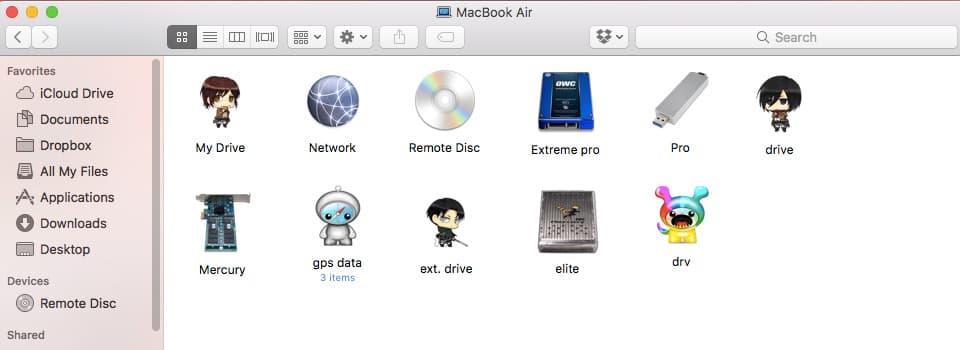
Every Mac comes with a range of icons that are used to represent your files, hard drives and folders in the ‘Finder’ window and on the Desktop, but you don’t have to use these default icons. While macOS’ default icons do communicate some basic information about each item, macOS uses the same icon for all […]

Create an ‘Out Of Office’ Autoresponder in Apple Mail

Create an ‘Out Of Office’ Autoresponder in Apple Mail

Jessica Thornsby · Jun 14, 2017

With the rise of smartphones, tablets and public Wi-Fi hotspots, it’s never been easier to keep one eye on your inbox. However, occasionally there may still be times when you know you won’t be checking your emails for a while. For example, maybe you have a full day of back-to-back meetings to look forward to, […]

How to Schedule Emails on the Mac

How to Schedule Emails on the Mac

Christopher Lee · May 29, 2017

At some point, we’ve all slipped up and forgotten about an important event – whether it was a friend’s birthday, a family member’s first day at a new job, or maybe even our own anniversary! Scheduling an email in advance means that, even if an important date does somehow manage to slip your mind, then […]

Using Picture in Picture Mode with YouTube, Vimeo and iTunes

Using Picture in Picture Mode with YouTube, Vimeo and iTunes

Christopher Lee · May 14, 2017

PIP is currently only available in iTunes and Safari. Plus, you can only view a website’s content in PIP mode if that particular website has implemented PIP support, although the good news is that two of the largest video sharing websites, Vimeo and YouTube, both already support PIP.

Get Unlimited Free Wi-Fi at any Airport on your Mac

Get Unlimited Free Wi-Fi at any Airport on your Mac

Christopher Lee · May 2, 2017

There’s nothing quite as frustrating as being stuck in an airport with nothing to do, especially if your flight is delayed. Many airports offer complimentary Wi-Fi, but often this Wi-Fi is only free for a set amount of time. As soon as you hit that time limit, you may find yourself permanently locked out of […]

22 Reasons Why Your Mac Runs Slower Than it Should

22 Reasons Why Your Mac Runs Slower Than it Should

Christopher Lee · May 1, 2017

It can happen so gradually that you barely notice it, until one day you realise that you can get up and make a cup of tea in the time it takes your Mac to boot. Maybe your Mac has always run slower than you’d like, or perhaps it’s slowed down in its old age – […]

12 articles loaded